How the Hub works
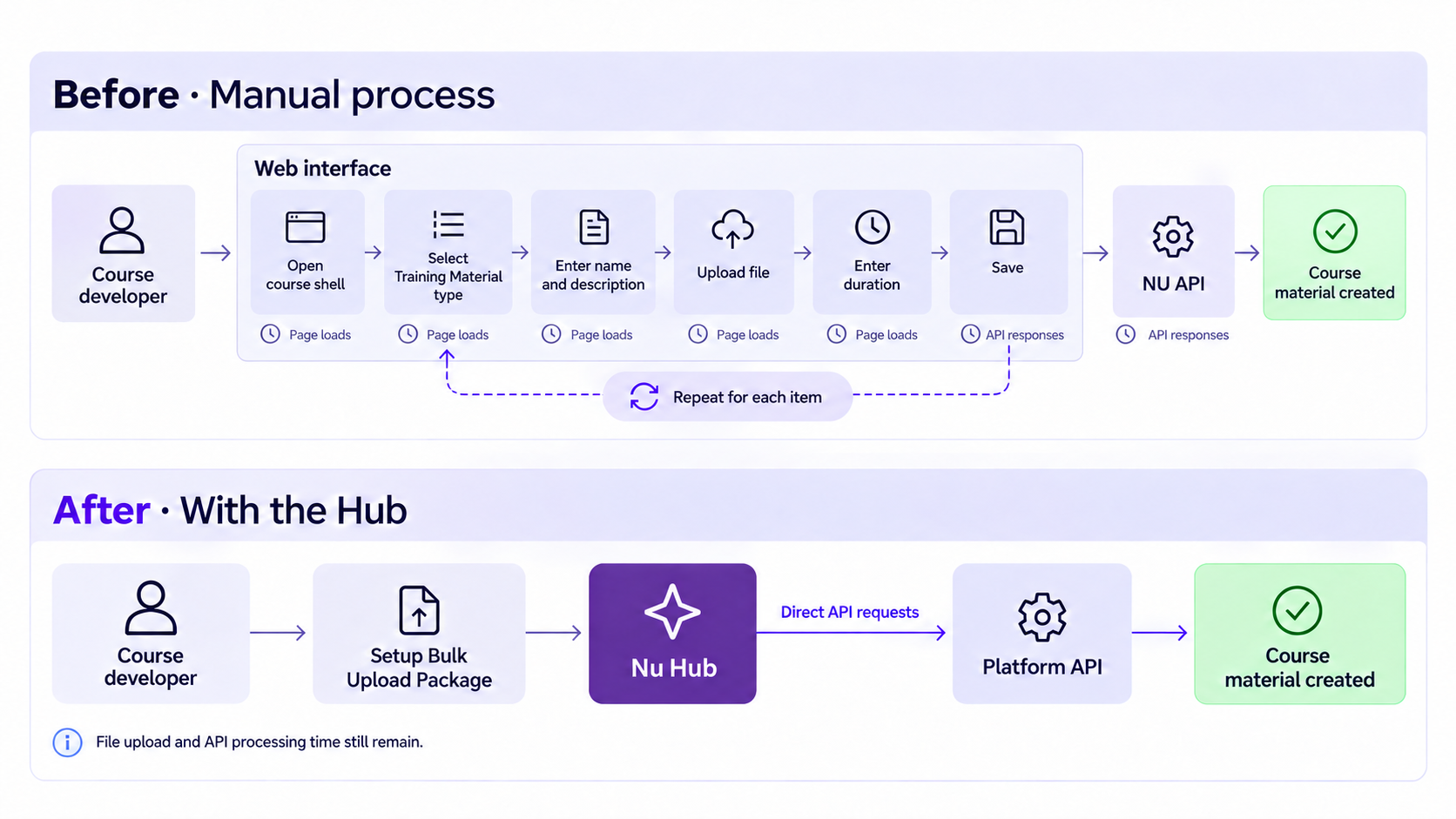
NU Hub replaces repeated manual setup with automated, direct API processing. Course developers can bulk-upload materials, add video embeds, and automate multi-step quiz setup while tracking progress from one dashboard.
| Before · Manual process | After · With NU Hub |
|---|---|
| Navigate through pages and forms | Prepare a bulk upload package |
| Upload files and add video embeds individually | Automate uploads and embed entry |
| Enter quiz questions, options, feedback, and settings manually | Automate repeated quiz setup |
| Repeat the form steps for each item | Send the required API requests directly |
| Follow progress across individual pages | Track progress in one dashboard |
ECA
On-Demand Self-PacedThese estimates show the time the Hub could have saved for the ECA course.
completion time
ECA course list
Courses ranked by estimated time saved, from highest to lowest.
| Course | SCORM | Brightcove | Quizzes | Total items | Manual completion | Time breakdown | Saved |
|---|
NCP-BC
On-Demand Self-PacedWatch the Hub and manual upload comparison.
Quiz setup is one of the most laborious parts of manual uploads.
Nutanix University does not provide an option to bulk import quiz data.
Each question involves entering the question, answer options and feedback, then configuring quiz settings.
The Hub automates these repeated steps.
Hub Screenshots
of estimated completion time saved
Manual completion time = (estimated developer effort × 1.6 + 20 minutes of breaks per course) × 1.10 for rework. Developer effort includes attended upload waits. Breaks and rework are planning assumptions. Hub completion time includes setup, LMS checks and unattended processing, added sequentially.